IRONGRID
FeaturesTeam Management
Team Management

Team Management Software Built for Field Service Contractors

Give every person on your crew a role, a clear view of their jobs, and a direct line into every update. From the office or the field, everyone knows where they need to be and what they need to do.

Get Started See Pricing

Managing a crew through text messages works when you have two people and three jobs. Add more people and more jobs and it breaks down fast. Assignments get missed, people show up to the wrong address, hours don't match what you expected, and someone's always waiting on information that never came.

IRONGRID gives every person on your team a defined role, a clear view of their assigned jobs, and a direct connection to every update on every work order. No more relay chains. No more assumption that the message got through.

Adding Your Crew

Invite team members and set their role in under a minute

Adding someone to your account in IRONGRID takes three fields: their name, email, and role. They get an email invite, create a password, and have access immediately. No app store download required. IRONGRID runs in any browser, so your crew is set up and on their jobs the same day you add them.

  • Email invite with instant account access
  • Works on any device, no app download required
  • Three roles: Admin, Manager, Employee
  • Unlimited team members on every plan
  • Remove or deactivate access at any time
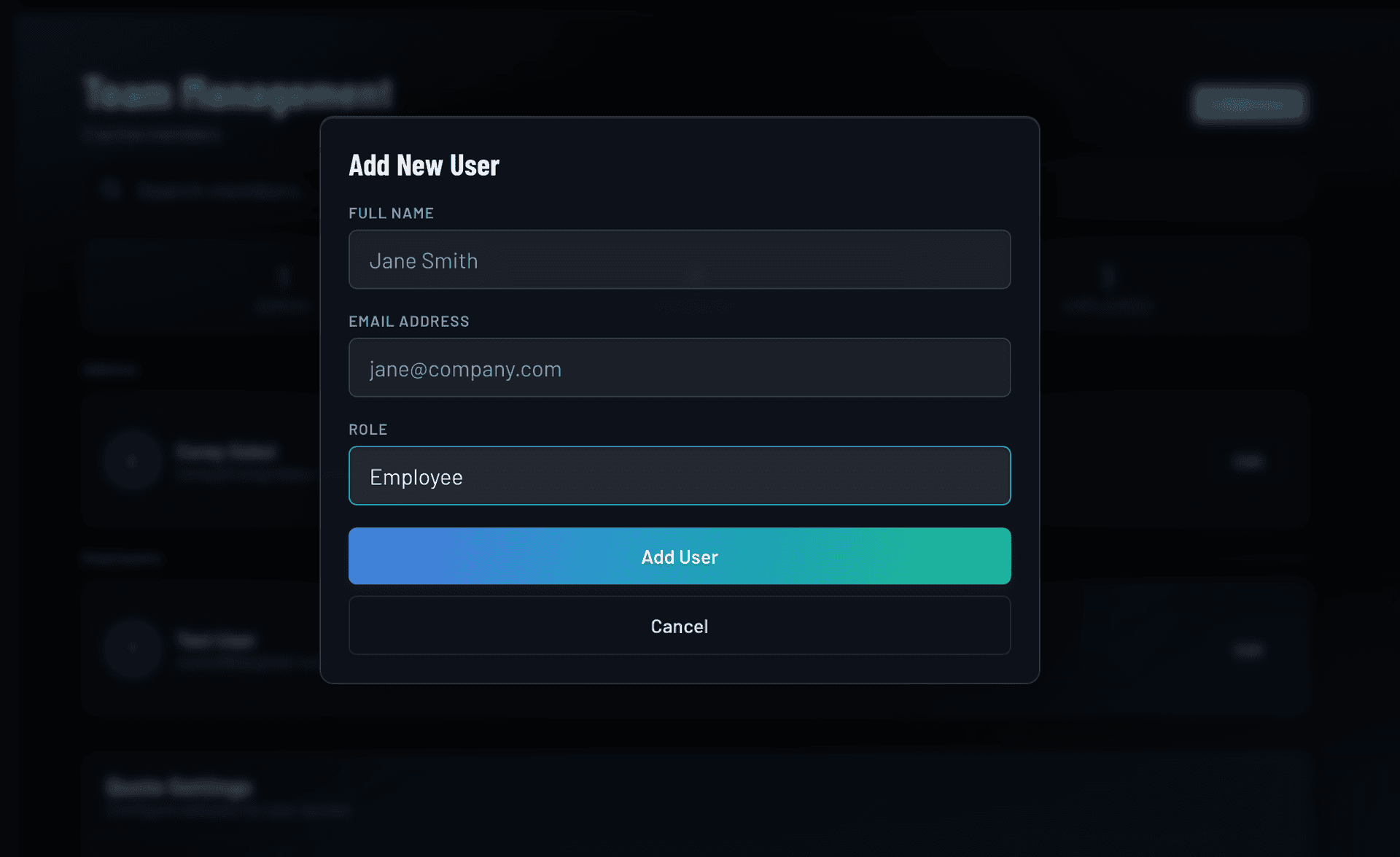
IRONGRID team member invite screen showing name, email, and role fields
Roles and Permissions

Three access levels that match how your business actually works

Not everyone on your team needs to see the same thing. Admins have full access including invoices and billing. Managers can run jobs, assign crew, and correct hours, but cannot access client billing or the Admin Portal. Employees see their assigned jobs, log hours, post updates, and attach photos. You control who sees what without managing a complicated permissions matrix.

  • Admins: full access including invoices and billing
  • Managers: run jobs and assign crew, no billing access
  • Employees: see and work their assigned jobs only
  • Role set at invite, changeable at any time
  • Every role sees real-time job updates
Admin
Manager
Employee
View all work orders
Create and manage work orders
Own jobs
Assign crew members
Log hours and field updates
Own jobs
Share jobs with clients
View and send invoices
Manage account and billing
Job Assignments

Assign crew members to any job, with instant push and email notifications

When you assign a team member to a work order, they are notified right away by push notification and email. The job appears in their personal queue the moment they log in. Multiple people can be assigned to the same job and each logs their own hours separately. You always know who is on which job and for how long.

  • Assign multiple team members per work order
  • Instant push and email notification on assignment
  • Assigned jobs appear in each person's personal queue
  • Hours tracked per person, per job. Never pooled.
  • Subcontractors can be assigned alongside employees
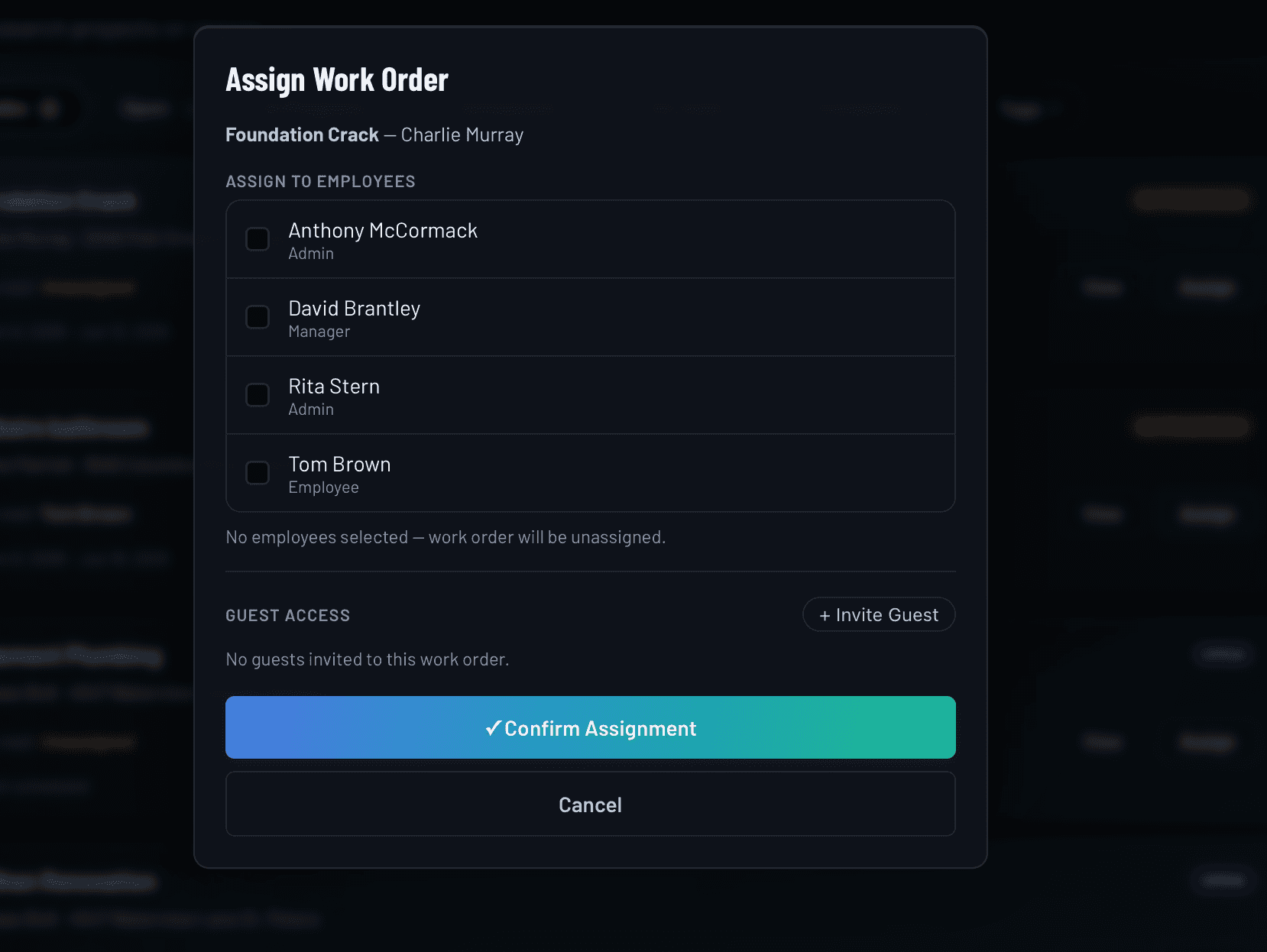
IRONGRID crew assignment panel showing team members being assigned to a work order
Subtasks

Break any job into subtasks so the details don't get missed

Some jobs are straightforward. Others have a checklist of steps that need to happen in the right order. IRONGRID lets you add subtasks to any work order so nothing slips between the cracks. Any team member assigned to the job can check tasks off, and the whole crew sees the same list in real time.

  • Add unlimited subtasks to any work order
  • Any assigned team member can mark tasks complete
  • Subtask list visible to the full assigned crew
  • Keeps complex jobs organized without a separate tool
  • Works alongside notes, hours, and photo attachments
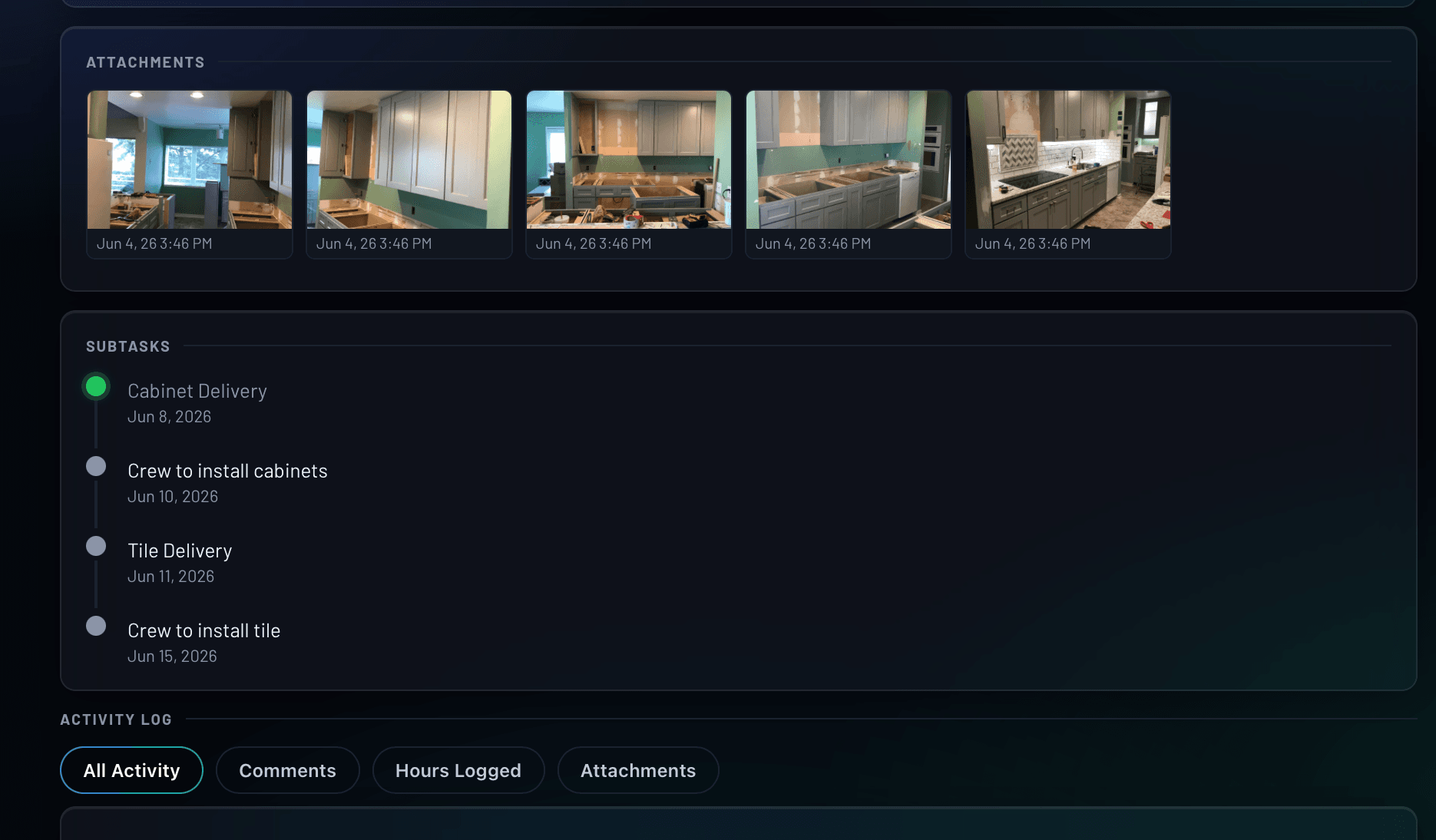
IRONGRID subtask checklist on a work order showing tasks assigned to crew members

Everything included with team management

No add-ons. No seat limits. Every capability is available on every plan.

Unlimited team members on every plan
Three role tiers: Admin, Manager, Employee
Email invites with instant account access
Push and email notifications on job assignment
Per-person, per-job hour tracking
Subcontractor assignment alongside employees
Guest access for outside collaborators
Subtask management within any work order
Activity log with author names and timestamps
Works on any device, no app store required
Deactivate access immediately when someone leaves
Role changes take effect instantly

How team management works in IRONGRID

From invite to job complete in four steps.

1
Invite your crew members
Enter each person's name, email, and role. They receive an invite link and have access to their jobs immediately. No app download required.
2
Assign them to work orders
As jobs come in, add the right people to each work order. Assigned team members are notified by push notification and email the moment you save.
3
They log in and get to work
Their assigned jobs are the first thing they see. Hours, status updates, and photos go directly into the work order from their phone.
4
Track everything from the office
See who is on which job, what hours have been logged, and what is still open, all updated in real time without a single phone call.

Frequently asked questions

Is there a limit to how many team members I can add?
No. Every IRONGRID plan includes unlimited team members at no extra cost. Add your full crew, seasonal workers, and subcontractors without watching a seat count.
What is the difference between an Admin, a Manager, and an Employee?
Admins have full access to everything: work orders, invoices, billing, client records, and the Admin Portal where you manage team settings. Managers can create and manage work orders, assign crew members, and correct hours, but cannot access invoices or billing. Employees see their assigned jobs, can log hours, post updates, and attach photos, but do not see invoicing or billing details.
Can subcontractors use IRONGRID, or is it just for employees?
Subcontractors can be added just like any other team member. Assign them the Employee role and they will see their jobs, log hours, and post updates the same way your employees do. For outside collaborators who only need visibility into a single job, Guest Access is a more limited option that scopes their view to one work order.
What happens when I remove a team member?
When you deactivate a team member, their access is removed immediately. Their logged hours, updates, and history stay on the account so your records stay complete. Nothing is lost.
Do team members need to download an app?
No. IRONGRID is a progressive web app that runs in any browser on any device. Your crew can access it on iPhone, Android, tablet, or desktop without downloading anything from an app store.
Can I change someone's role after they've been added?
Yes. You can update a team member's role at any time from the Admin Portal. The change takes effect immediately, adjusting what they can see and do across the platform.

Related features and guides

All FeaturesWork Order ManagementContractor CRMField Service SchedulingPricingInviting Your Team to IRONGRIDUnderstanding User Roles in IRONGRIDAssigning Work Orders to Crew MembersGranting Guest Access to a Subcontractor

Give your crew the system they need

Try the IRONGRID Pro tier free for 14 days. Unlimited team members on every plan.

Get Started See Pricing