
Most contractors still collect hours at the end of the week through a text message, a handwritten note, or someone who forgot to write it down at all. By the time you're putting together a timesheet, the details are fuzzy and the numbers are estimates.
IRONGRID logs hours at the job level, in real time, by the person who did the work. Every entry is tied to a specific work order so your labor data is always accurate, always organized, and always ready when you need it.
Log hours directly on the work order, from any device
Logging hours in IRONGRID happens on the work order, not in a separate timesheet. Team members open their job, enter their hours, and hit submit. Takes about ten seconds. Every entry is tied to that specific job so your labor data is always organized where it belongs.
- Log hours from any device, no app download required
- Hours tied to the specific work order they belong to
- Log time alongside notes and photos in a single update
- Admins can add missed entries for any team member
- Timestamps on every entry for an accurate audit trail
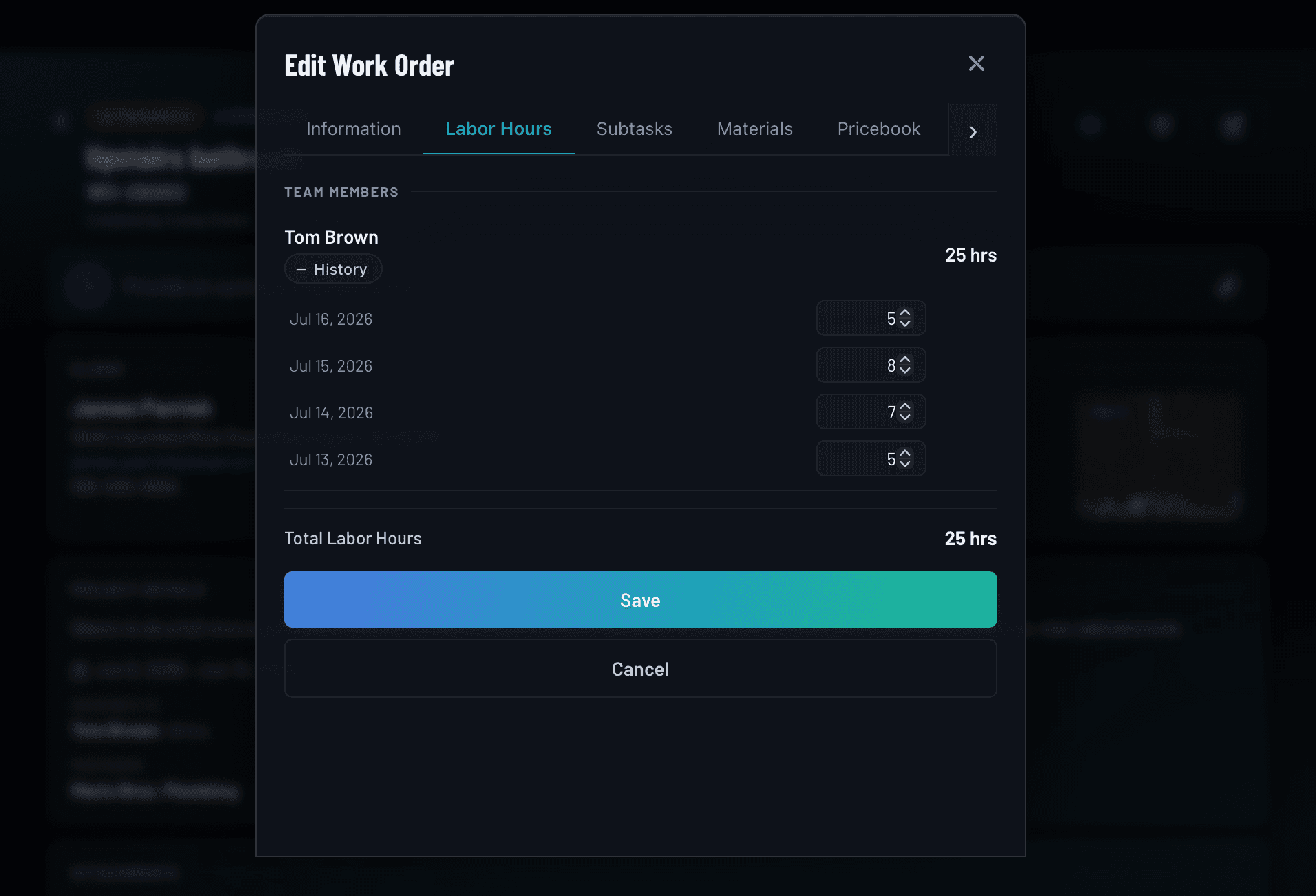
Time tracked per person, per job, never pooled or estimated
Every team member logs their own hours independently. If three people work the same job, you see three separate time entries with names and timestamps. No averaging, no guessing who did what, no reconciling a single total at the end of the week.
- Individual time entries attributed to each team member
- Multiple team members can log hours on the same job
- Subcontractor hours tracked separately from employees
- Full visibility into who worked what and for how long
- Admins can edit or correct any entry at any time
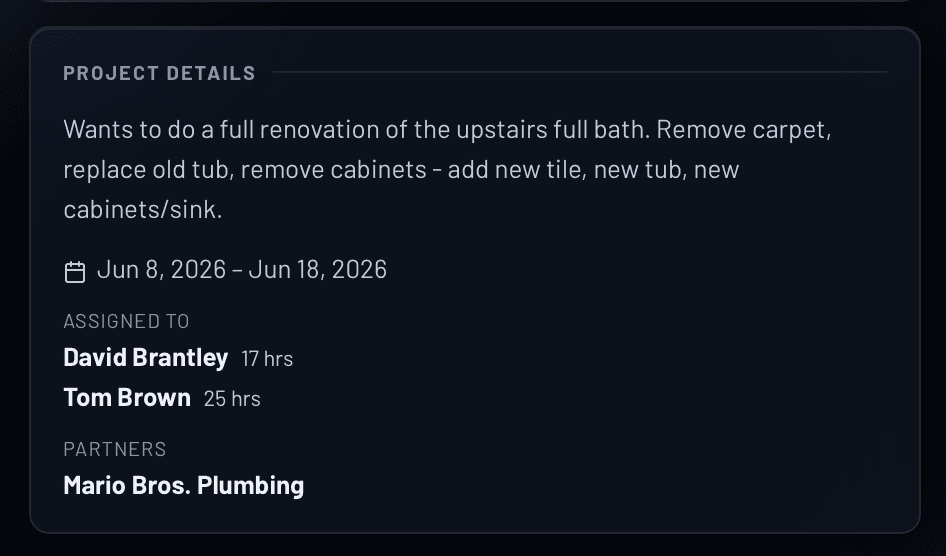
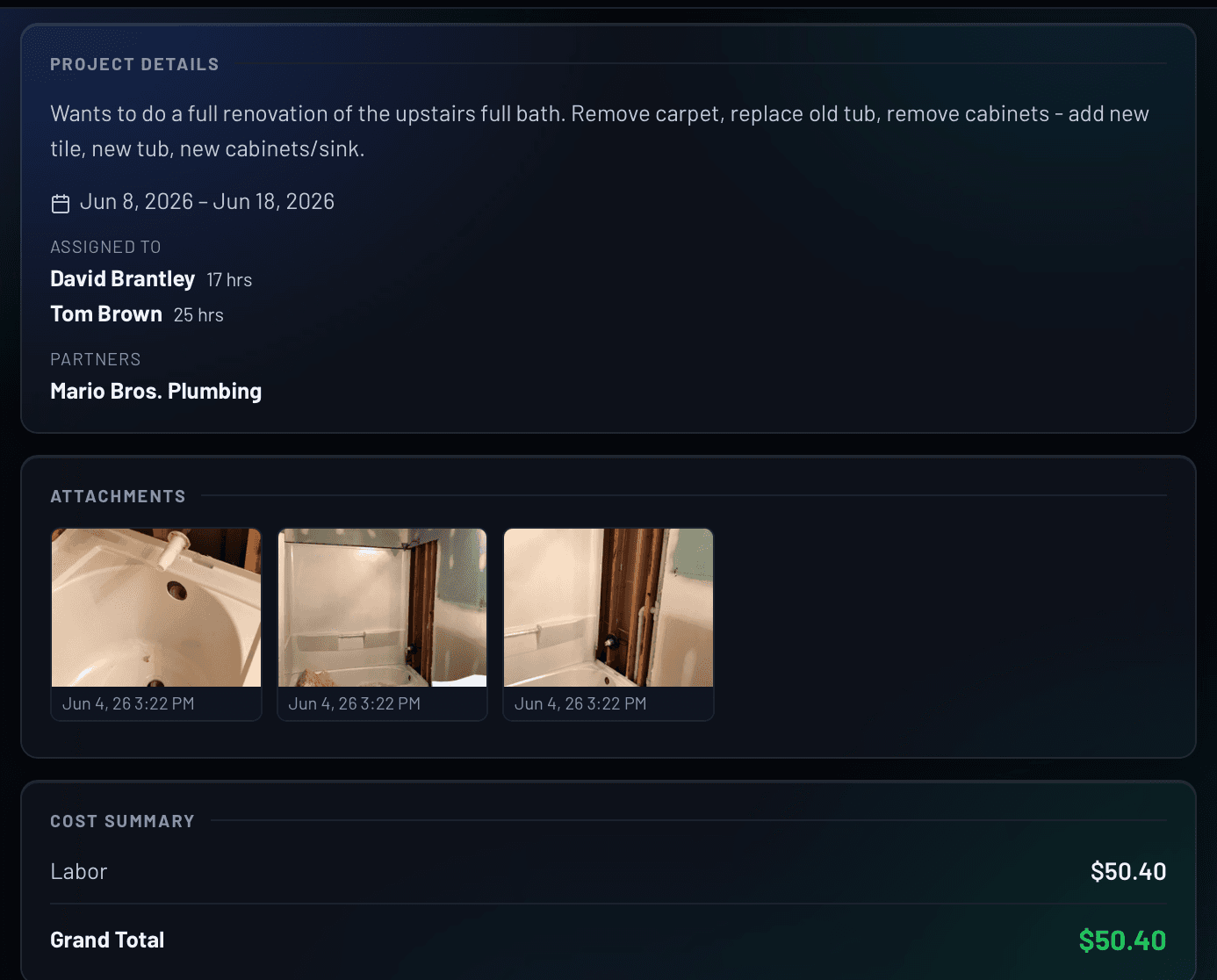
Logged hours feed directly into work order labor costs
Hours logged on a work order roll up into the labor cost summary automatically. Set hourly rates for your team members in Admin settings and IRONGRID calculates your labor cost in real time as hours come in. No spreadsheet, no manual math. Labor cost totals require a one-time rate configuration in the Cost Summary section of Admin settings. Once that's set, everything calculates automatically from there.
- Labor cost summary visible on every work order
- Hourly rates set per team member in Admin settings
- Real-time cost calculation as hours are logged
- Compare estimated vs. actual labor cost per job
- Export time data for payroll processing
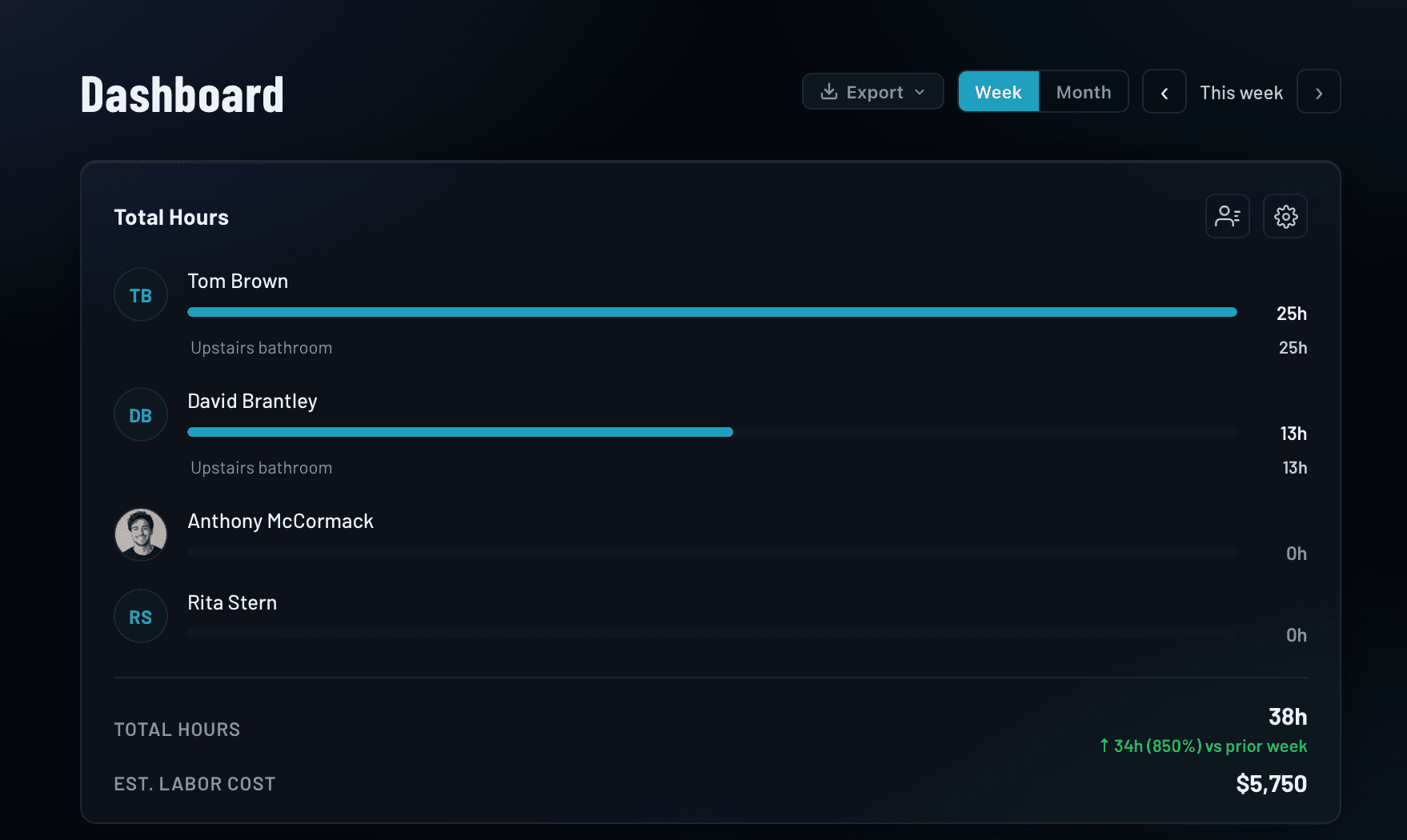
See hours across your whole team, filtered by job or time period
The dashboard gives you a view of team hours across all active jobs. Filter by team member, date range, or work order to find exactly what you need. Weekly and monthly summaries are always available so you can track labor trends and catch problems before they affect payroll.
- Weekly and monthly hour summaries across your team
- Filter by team member, date range, or work order
- Dashboard view of hours across all active jobs
- Export time data for payroll or client billing
- Hours visible to Admins and Managers at all times
Everything included with time tracking
No add-ons. No seat limits. Every capability is available on every plan.
How time tracking works in IRONGRID
From first log to payroll export in four steps.
Frequently asked questions
Know exactly what every job costs in labor
Try the IRONGRID Pro tier free for 14 days. Unlimited team members on every plan.